Action Camera File Backup Workflow for Travel Video Creators

Affiliate disclosure: As an Amazon Associate, Gear for Greatness earns from qualifying purchases. Shopping links may earn a commission at no added cost. No first-hand product testing is claimed.
Why a repeatable backup routine matters
Travel footage can represent a memorable event that cannot be filmed again. A convenient camera and several large memory cards make recording easy, but they also make it tempting to postpone organizing files until the end of the trip. The danger is not only a failed card. It is accidentally reformatting a card with the only copy, overwriting a folder with an identical filename or discovering too late that a transfer stopped halfway through. Build a simple process that is easy to perform when tired, rushed or away from your usual editing computer.
Identify every card before the trip
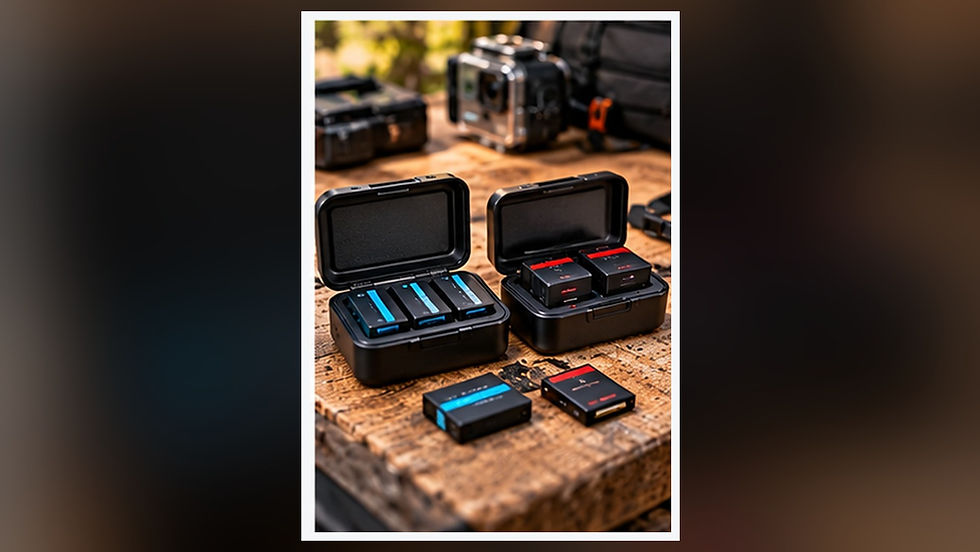
Label each memory card case with a unique number or short code, and keep a written or digital list of which card is in use. Never apply a thick label directly to the card where it might jam in a slot. If you use more than one camera, record which device uses each card. A small protective case with separate sections for fresh and used media can prevent confusion. Protect exposed contacts from dirt, liquids and physical damage. Before departure, verify that cards meet the camera manufacturer's capacity and speed requirements.
Plan the storage destination
A laptop with adequate free space offers an easy destination for organizing footage, but it may not hold an entire journey's recordings. A compatible external SSD can provide additional capacity when connected through a suitable port and cable. Think about total recording volume rather than simply purchasing the largest drive. If the camera records high-bitrate video, calculate approximate storage needs from the published recording settings and add a margin for unexpectedly long sessions. Keep in mind that formatted usable capacity can differ from the advertised drive capacity.
Create folders that cannot be confused
Use a consistent project and date pattern such as 2026-10-29_Winnipeg_Walk, then create a separate source folder for each camera or card. Keep original filenames inside their source folder rather than renaming hundreds of clips manually before backup. Camera systems may generate sidecar files, thumbnail data or metadata that editing software uses. Copy the entire relevant recording structure when appropriate. Avoid merging cards directly into one folder because some cameras restart numbering, producing repeated names even when the clips are different.
Copy before you clear the card
A transfer is not a backup merely because a progress bar reached its end. Wait for the file operation to complete and use the computer's safe-eject method where applicable before removing the source card. Check that the destination folders contain the expected files, compare sizes or counts and open representative clips, including the beginning and end of a long recording. For higher-value footage, use a reputable verification tool that can compare checksums. Verification matters most when the destination is a drive you have not used recently.
Keep two copies in separate places
One copy on the camera card and one on the laptop gives temporary protection, but both can be lost if they remain in the same bag. A more robust field workflow creates a second copy on another independent drive before formatting the card. Keep storage devices physically separated where feasible and protect them from rain and impact. Cloud upload can add another layer when bandwidth allows, but uploading large video files may be impractical on a hotel connection. Treat a transfer as complete only after checking its status rather than assuming the connection remained active overnight.

Cards and external drives have different jobs
Memory cards are primarily your recording media; external drives are convenient for storage and editing. Some creators leave footage on full cards for the trip and use fresh ones rather than erasing the originals. This can be a sensible precaution when card cost and capacity permit it. Others must rotate cards, making a verified second backup essential before formatting. Neither option eliminates failure risk. Store any drive in an appropriate protective case and avoid placing it under heavy items or close to sources of extreme heat.
Be careful with USB-C cables and hubs
Two USB-C cables can look the same but support different data speeds. A charging cable may still transfer data slowly, and some hubs share bandwidth among connected drives and card readers. Check the actual specifications of your card reader, host port, cable and external storage before concluding that a drive is defective. During a long transfer, keep the computer on reliable power and avoid putting the card reader where it can be bumped. A short compatible cable can be easier to secure than a long lead crossing a hotel desk.
Use the camera to format only after verification
When the source files are backed up and verified, follow the camera's instructions for formatting the card in the camera rather than randomly deleting individual recording files on a computer. Formatting generally erases access to existing footage, so double-check the physical card and the corresponding backup folders first. Do not confuse a copied folder with a verified independent backup. If a card reports errors, do not simply continue using it for important work because the next recording may be at risk.
A practical end-of-day checklist
At the end of each filming day, identify the used card and place it in its designated section. Copy the complete relevant folder to a date-specific directory on your primary storage. Inspect file counts or sizes and play back representative recordings. Make the second copy, verify it and separate the devices. Note unusual camera warnings or interrupted clips while you still remember what happened. Only then decide whether to retain the original card contents or prepare the card for another session.
Frequently asked questions
Is a portable SSD automatically a backup? Not if it is the only place the files exist. Can a large memory card replace regular transfers? More capacity reduces swapping, but it increases the amount of footage at risk if a single card is lost. Should every original clip be renamed? It is often safer to retain source filenames in clearly labeled folders until ingestion is complete. Can video playback prove every file is intact? Sampling helps catch obvious issues, while fuller verification may require file comparison or checksums. Is cloud storage essential? It can be valuable, but an independent offline copy may be more practical during travel.
Which accessories make sense?
Start with a protective memory-card case and a reliable card reader compatible with your camera's card interface. Add an external SSD when your computer does not have enough space for your intended recordings, and consider a second independent drive when the footage cannot be replaced. Buy storage for a written backup plan, not the other way around. This is a workflow guide based on general file-handling practices, not a claim that we personally tested linked products.
Compare field-backup essentials
Option 1 — Protective Memory Card Cases
Option 2 — Portable External SSDs
The affiliate buttons open Amazon search results, not guaranteed listings. Verify card size, port compatibility and current seller terms.

Comments