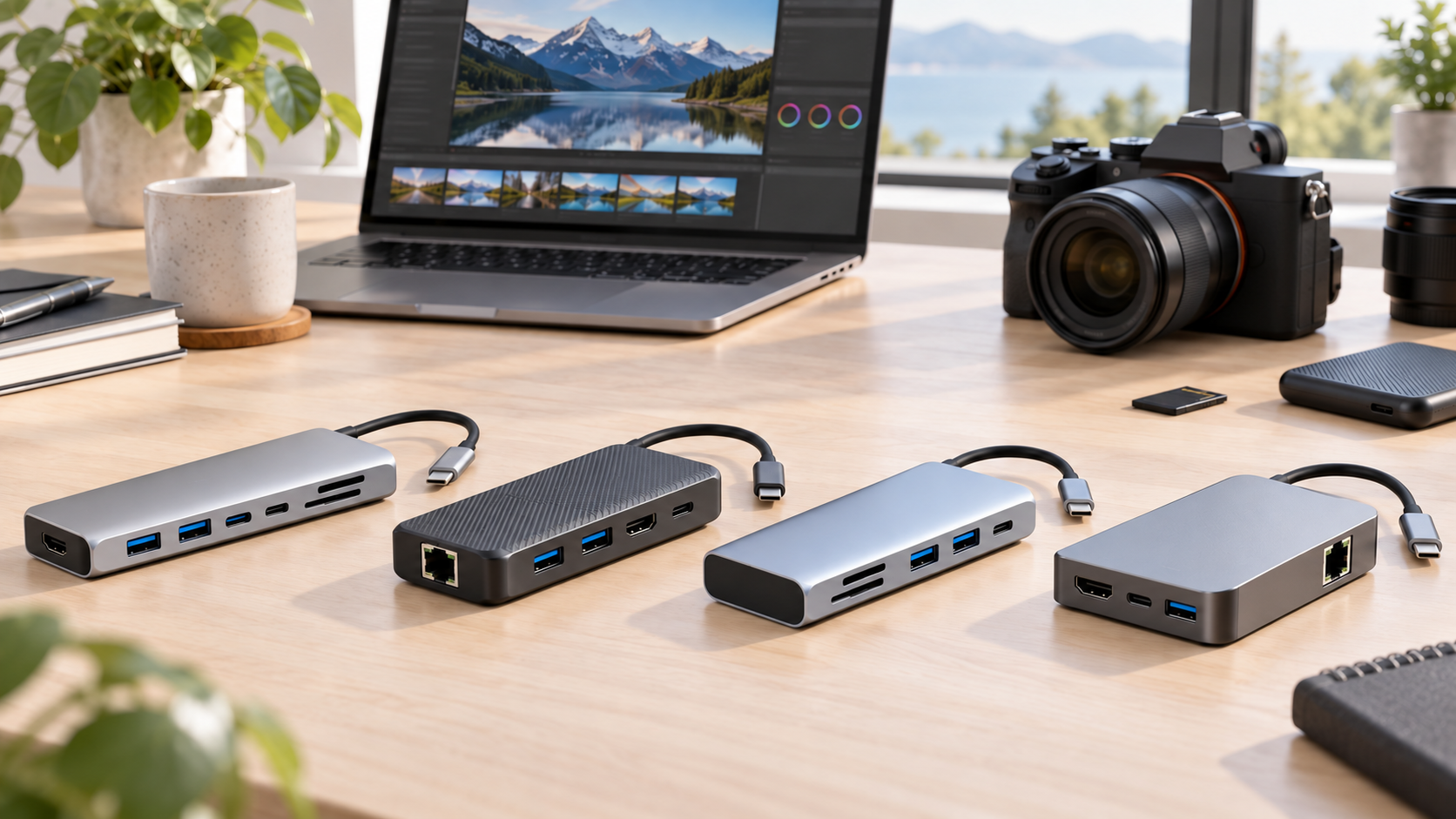
Best USB-C Hubs for Photographers and Video Editors

A thin laptop can become a complete editing station with one good hub—but creators should not shop by port count alone. Card-reader speed, SSD bandwidth, display support and power delivery determine whether a hub speeds up your workflow or becomes the bottleneck.
This guide compares five strong options for photographers and video editors, from a compact travel hub to a premium desk-ready upgrade. Prices move often, so the rankings focus on features, workflow fit and value rather than a temporary sale.
Quick Verdict
Best overall for travel creators: Satechi OntheGo 7-in-1. Best value: UGREEN Revodok Pro 210. Best for Windows multi-monitor setups: j5create JCD397. Best premium creator upgrade: Satechi USB-C Multiport Adapter 8K V3. Best simple and dependable choice: Belkin USB-C 7-in-1.
What Matters Most for Photo and Video Work
• Card speed: UHS-II support matters if you regularly offload large RAW bursts or high-bitrate video. UHS-I is fine for lighter transfers but is slower.
• Data speed: A 10Gbps USB connection is a better match for fast external SSDs than a 5Gbps port. Your laptop, cable and drive must all support the higher speed.
• Display output: Look for 4K at 60Hz for a smooth editing monitor. Multi-monitor support depends on the computer and operating system, not only the dock.
• Power delivery: A 100W input rating does not mean your laptop receives the full 100W. The hub uses some power, and a charger is often sold separately.
• Host compatibility: Windows systems commonly support MST multi-display configurations. Many Macs mirror displays through MST, so Mac users should check their exact model before buying a hub for multiple extended screens.
1. Satechi OntheGo 7-in-1 — Best Overall for Travel Creators
The OntheGo is the most balanced pick for photographers and mobile editors who want the essentials without carrying a full dock. It combines HDMI 2.0 for up to 4K60, Gigabit Ethernet, SD and microSD readers, two USB-A ports and USB-C power delivery in a compact design.
Its magnetic mounting design and coiled cable help keep a small desk or travel kit tidy. The trade-off is speed: its data ports are rated at 5Gbps and its card readers are UHS-I. That is enough for everyday transfers, but creators moving very large files every day should consider the premium pick below.
Best for: photographers, travel creators and hybrid workers who want a compact all-rounder.
Skip it if: your workflow depends on UHS-II cards or maximum external-SSD speed.
2. UGREEN Revodok Pro 210 — Best Value
UGREEN's 10-in-1 hub is the value leader because it gives you a wider mix of ports than most compact adapters. Its combination of display outputs, 100W-class power delivery input, SD and microSD readers, USB connections and Gigabit Ethernet suits a creator who wants one hub for a home office and occasional travel.
The extra display flexibility is useful, but your laptop still determines how many independent screens it can run. Verify the USB-C port's video capabilities and your operating system's display limitations before buying.
Best for: buyers who want the most connectivity for the money.
Skip it if: you need a clearly specified UHS-II card workflow or the smallest possible travel hub.
3. j5create JCD397 — Best for Windows Multi-Monitor Editing
The JCD397 stands out for Windows creators who edit across several screens. It includes two HDMI outputs plus DisplayPort, three 10Gbps downstream USB ports, SD and microSD UHS-II readers, Gigabit Ethernet and up to 100W power-delivery input.
On a compatible Windows computer with DisplayPort MST, it can support dual 4K60 or triple 4K30 configurations. That makes it especially useful for editors who want a timeline, preview and asset browser visible at once.
Best for: Windows-based video editors and photographers with fast cards and multi-display desks.
Skip it if: you use a Mac and are buying specifically for three independent external displays.
4. Satechi USB-C Multiport Adapter 8K V3 — Best Premium Upgrade
This is the performance pick. It pairs an SD 4.0 UHS-II reader rated up to 312MB/s with multiple high-speed USB ports, Gigabit Ethernet, power delivery and a high-bandwidth HDMI connection that can support up to 8K30 or high-refresh 4K modes on compatible hardware.
For creators using fast SD cards, external NVMe SSDs and a high-resolution monitor, those upgraded interfaces can save time every day. It costs more than a basic hub, but the extra speed is meaningful when the rest of your equipment can use it.
Best for: serious photo and video workflows built around UHS-II media and fast external storage.
Skip it if: your cards, drives and display are limited to basic speeds; you would be paying for bandwidth you cannot use.
5. Belkin USB-C 7-in-1 — Best Simple, Dependable Hub
Belkin's 7-in-1 hub is a straightforward option from a familiar accessory brand. It covers the everyday creator essentials with HDMI 2.0 up to 4K60, two USB-A ports, SD and microSD readers, USB-C power delivery and a 3.5mm audio jack.
Its 5Gbps data ceiling makes it better for general accessories and moderate file transfers than an SSD-heavy professional workflow. For a clean single-monitor setup, however, it is easy to understand and easy to recommend.
Best for: creators who prioritize a simple port mix, 4K60 output and broad everyday usefulness.
Skip it if: you need 10Gbps storage or UHS-II card transfers.
Who Should Buy a USB-C Hub?
Buy one if your laptop lacks the card slots, display output, Ethernet or USB-A connections your workflow needs. A hub is especially useful for creators who move between a desk and location work and want one cable for the essentials.
Skip a compact hub and consider a full dock if you need several displays, many always-connected drives, high-power charging and desktop peripherals at the same time. A dock costs more, but it is usually better suited to a permanent workstation.
Best Value
The UGREEN Revodok Pro 210 offers the broadest practical connectivity for a cost-conscious creator. It is the smart pick when port variety matters more than premium card-reader and storage speeds.
Is the Premium Upgrade Worth It?
Yes—if you regularly offload UHS-II cards, edit from a fast external SSD or use a high-bandwidth display. In that case, the Satechi 8K V3 can remove real workflow bottlenecks. For lighter Lightroom work, web content and standard office use, the Satechi OntheGo or Belkin hub is the better-value choice.
Final Winner
For most photographers and mobile video editors, the Satechi OntheGo 7-in-1 is the best overall choice. It balances portability, 4K60 display output, wired networking, card readers and useful legacy ports without turning a travel kit into a cable bag. Heavy creators should step up to the Satechi 8K V3 for faster cards and storage.
As an Amazon Associate, Gear for Greatness earns from qualifying purchases.


Comments