Wacom Intuos Pro Small vs Medium (2025): Which Size Fits?

Wacom Intuos Pro Small vs Medium for the 2025 generation is a question of movement, shortcuts and space. Both are screenless pen tablets used with a separate display. The Medium gives your hand more active area and adds controls; the Small is easier to accommodate beside a keyboard or in a travel kit.
As an Amazon Associate I earn from qualifying purchases.
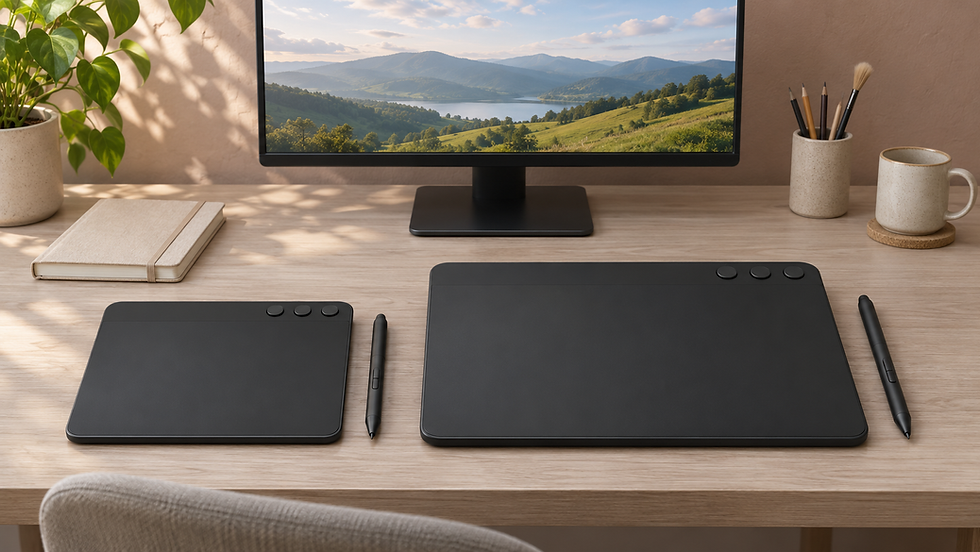
Illustration of screenless tablet size choices; the devices are not exact product photographs.
Quick verdict
Choose Small for a compact desk, frequent travel or a preference for shorter hand movements. Choose Medium when a larger mapped area and additional shortcut controls support your work. Check that the listing is the 2025 PTK470 or PTK670 rather than an earlier Intuos Pro with a different layout.
At a glance
Map the active area to the way you move
The active area is the surface that controls the cursor, not the tablet's full outside size. With a screenless tablet you look at the monitor while moving the pen on the desk. A smaller mapped area usually calls for shorter movements; a larger one provides more room for broader strokes.
For photo masks and detailed retouching, think about the balance between precision, zoom level and comfortable movement. For drawing, consider whether you like making long strokes. There is no universal size winner: the larger tablet is useful when its movement range fits your habits.
Extra controls are useful only when you assign them
The Medium's additional ExpressKeys and second dial are a concrete difference in the 2025 range. They may help if you repeatedly adjust brush size, zoom or change tools. Check the supported driver settings and application behaviour rather than assuming every control arrives configured exactly as you want.
Start with a few frequently used commands. A complicated layout that you cannot remember can slow you down more than a simpler one. If you already use keyboard shortcuts comfortably, decide whether the Small's control allowance is enough before paying for more.

Measure the working desk, not just the travel bag
Mark out the outside tablet dimensions on your desk and leave room for the keyboard, mouse and forearm. A device that fits physically may still put your keyboard too far away. Arrange the tablet where you can keep a comfortable working posture.
The Small is lighter, but a travel setup includes a case, pen and connection cable as well. For a mostly permanent desk, a little extra weight may be irrelevant. Choose for the setting where you will do most of the work rather than an occasional journey alone.
Confirm the exact generation and computer support
The 2025 products use Wacom Pro Pen 3 and the revised dial-and-key layout. Older Intuos Pro models can still appear in shop search results. Compare model codes, included accessories and support information before treating two similarly named listings as the same product.
Check current drivers for your computer and editing applications. Both wired and Bluetooth workflows should be assessed with the devices you own. A battery-free pen does not mean the tablet's own wireless battery never needs charging.
Keep the screenless distinction clear
Neither size displays your photograph under the pen. If your goal is to draw directly on an image, investigate a pen display or a standalone drawing tablet instead. A screenless tablet can be a useful editing tool, but it asks for a different hand-and-eye routine.
Compare the total price, return terms and included nibs or carrying accessories. If possible, try a similar active-area size before committing. The right size is the one that makes repeated editing movements comfortable and keeps your desk usable.
Final choice
Choose Small when compact placement and shorter movements suit the job. Choose Medium when more active area and shortcut controls will be used regularly. Verify the 2025 model code, driver support and complete desk footprint before buying.
Sources and further reading
Related buying guide
For the display side of an editing desk, compare BenQ SW272U versus SW272Q.


Comments