NVMe SSD Enclosure Tool-Free Latch vs Screw Cover

Affiliate disclosure: Gear for Greatness may earn a commission through qualifying purchases at no additional cost to you. This research-based buying guide does not claim personal testing of every product.
Which problem this solves
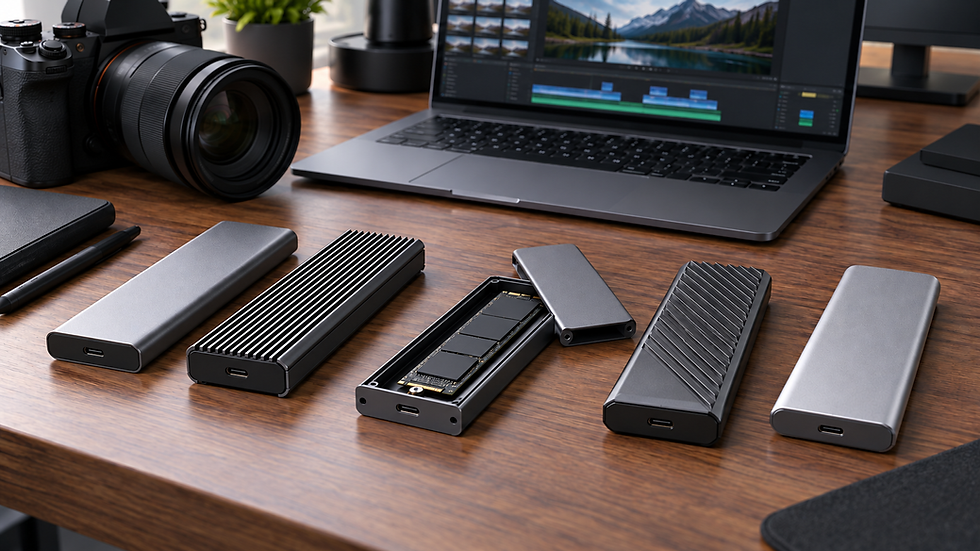
An external NVMe enclosure allows an internal compatible SSD to connect to a laptop. Its cover may be tool-free or screw fastened.
First option in use
A latch is convenient for repeated drive changes, but it has to hold the SSD securely and maintain contact with heat-spreading pads.
Alternative trade-offs
Screws offer positive retention yet require careful handling of tiny hardware. Over-tightening can damage the drive mount or casing.
Important specifications
Verify M.2 size, NVMe versus SATA compatibility, controller data speed and power requirements. The same connector shape can hide incompatible protocols.
Safe setup and maintenance
Long video imports produce heat. Install thermal pads exactly as instructed and avoid copying files with the enclosure inside an insulating sleeve.
Making the choice
Choose tool-free for frequent swaps or secure screw construction for a fixed drive. Verify copied media before erasing source recordings.
Before relying on the setup
Check the exact manufacturer's current instructions, supported accessories, physical fit and product warranty before ordering. Test the intended arrangement safely with the equipment you already own and do not rely on unverified compatibility claims. Good buying decisions begin with real needs rather than the longest feature list.
Practical drive installation check
Before opening the enclosure, disconnect all power and protect components from static discharge according to manufacturer guidance. Confirm that the SSD fits the stated M.2 length and that any thermal pad touches the correct surface without causing bending. A tool-free latch that closes with excessive pressure is not necessarily seated correctly. Screw mounts likewise need only the torque specified by the manufacturer. Once assembled, test detection, a large file copy and safe ejection with the laptop and cable actually used for editing. Keep the original camera footage until the copied files open successfully and another independent copy exists. Never treat one external SSD as the only archive. During a long import, monitor whether the enclosure disconnects or becomes abnormally hot. Benchmark numbers from a short synthetic test may be much higher than sustained real-world video copying. Reliable complete transfers are the priority for irreplaceable footage.
Compare current products
Check model specifications, seller conditions, availability and compatibility before buying.



Comments