
Elgato Flex Arm L vs Solid Arm: Which Multi Mount Upgrade Do You Need?

Elgato Flex Arm L and Solid Arm are accessories for the Multi Mount family, not complete overhead camera mounts. Flex Arm L uses adjustable modular sections to change reach and angle, whereas Solid Arm adds a shorter fixed horizontal mounting point to an existing column. Buying either without a compatible Master Mount can leave you with accessories you cannot safely use.

Quick buying verdict
Buy Flex Arm L when a top-down camera or light needs articulated positioning. Buy Solid Arm for a secondary compact light, camera or microphone mounted beside the main pole. Skip both if you have not bought a solid support first, or if your folding table cannot safely hold the clamp and extended load.
What Flex Arm L provides
Elgato says Flex Arm L includes a 24 cm long section, a 17 cm medium section and two 8 cm short sections. Steel poles connect by ball joints, allowing a smaller or larger modular assembly. Current manufacturer specifications give a maximum assembled reach around 45 cm. The arm requires part of the Multi Mount support system and is not independently desk-clamped.
What Solid Arm provides
Solid Arm is a single roughly 26 cm extension that clamps to the Master Mount column. Its 1/4-inch-threaded ball head supports an accessory such as an LED panel or small camera. Elgato lists a 2 kg maximum load and a clamp range of about 2.5 cm for this accessory. It cannot bend into the same shapes as the Flex Arm L.
Master Mount is separate
Master Mount L provides the desk-clamped support pole, adjustable from roughly 55 cm to 125 cm. Elgato specifies a load up to 2 kg for it. Do not mistake Flex Arm L or Solid Arm as full mounting systems with their own complete desk clamps. Check the box contents and support structure before placing any camera above a table.
What actually works for overhead unboxing?
An overhead camera needs to sit away from the supporting column, often near the centre of a product. Flex Arm L is more versatile for this because its joints allow a controlled offset. But extra reach increases torque on the clamp and can magnify vibration. A shorter assembly and appropriate safety tether are better than automatically using every section.
Why Solid Arm may be enough
For a small light or microphone beside the main camera, Solid Arm is easier to set up and has fewer joints to adjust. It can hold an auxiliary item without placing the camera at the end of a long articulated rig. Route cables with slack so a snag does not drag the entire support.
Leverage and safety
A stated weight limit does not explain every overhead mounting risk. A heavy camera farther from the main column creates additional turning force at the desk clamp. Verify the table edge, desk stability, centre of gravity and total rig mass. Thin plastic folding tables and weak particleboard edges are poor foundations for heavy suspended setups. Keep expensive gear low while testing.
Compatibility and extra accessories
The 1/4-inch camera screw is useful, but some rigs still require a phone clamp, cold-shoe adapter, quick-release plate or additional ball head. Elgato's modular Multi Mount components connect within that family. Exact model numbers are 10AAC9901 for Flex Arm L and 10AAG9901 for Solid Arm. Those are the identifiers to check against retailer listings.
Who should buy and who should skip?
Choose Flex Arm L when reach and flexible aiming are essential, and the supporting system has been carefully checked. Skip it if a fixed side mounting point will do. Choose Solid Arm for simple auxiliary mounting; skip it if you need substantial overhead positioning. Skip both when a properly rated dedicated camera boom would be safer or when you lack a reliable desk clamp point.
Cost and final verdict
For a home unboxing studio, put money into camera stability and lighting first. A good Master Mount or dedicated overhead rig is the foundation; accessory arms come later. Solid Arm solves a simple mounting problem. Flex Arm L adds real adjustability only if your desired framing actually needs it. A modular system is valuable when every component has a defined job, not when you buy parts speculatively.
Sources and affiliate disclosure
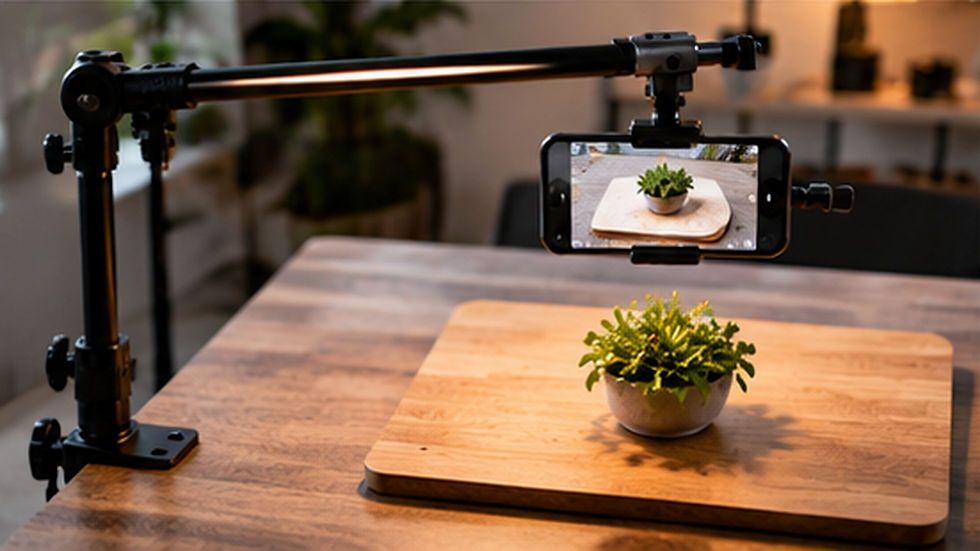
This article is based on current Elgato Flex Arm L, Solid Arm and Master Mount L product documentation, not hands-on testing. The licensed landscape photo is an illustrative desktop workspace, not the actual Elgato products. As an Amazon Associate, we may earn from qualifying purchases. The buttons below search for the exact accessory models in each country; confirm host-mount compatibility and included parts before ordering.


Comments